 Closed テストへの参加方法
How to join the closed test
Closed テストへの参加方法
How to join the closed test
-
1
Google グループに参加してください
Join the Google Group
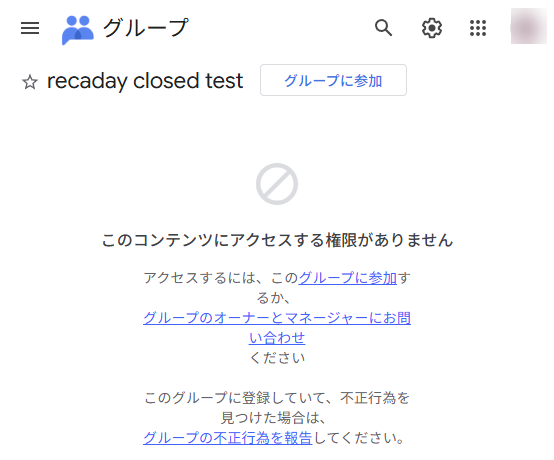
Google グループに参加 Join the Google Group押すとこの画面が出ます
This is the screen you will see
 ここは無視
Ignore this
ここは無視
Ignore this
- 「このコンテンツにアクセスする権限がありません」は無視して、 上の グループに参加 を押してください。
- Ignore the message in the middle of the page and press Join group at the top.
The screenshot is in Japanese. Google Groups follows your own account's language, so your wording will differ — the button is in the same place.
-
2
下記 URL より Google Play にアクセスしてインストール
Open Google Play from the link below and install
Google Play でテストに参加 Opt in on Google Play押すとこの画面が出ます
This is the screen you will see
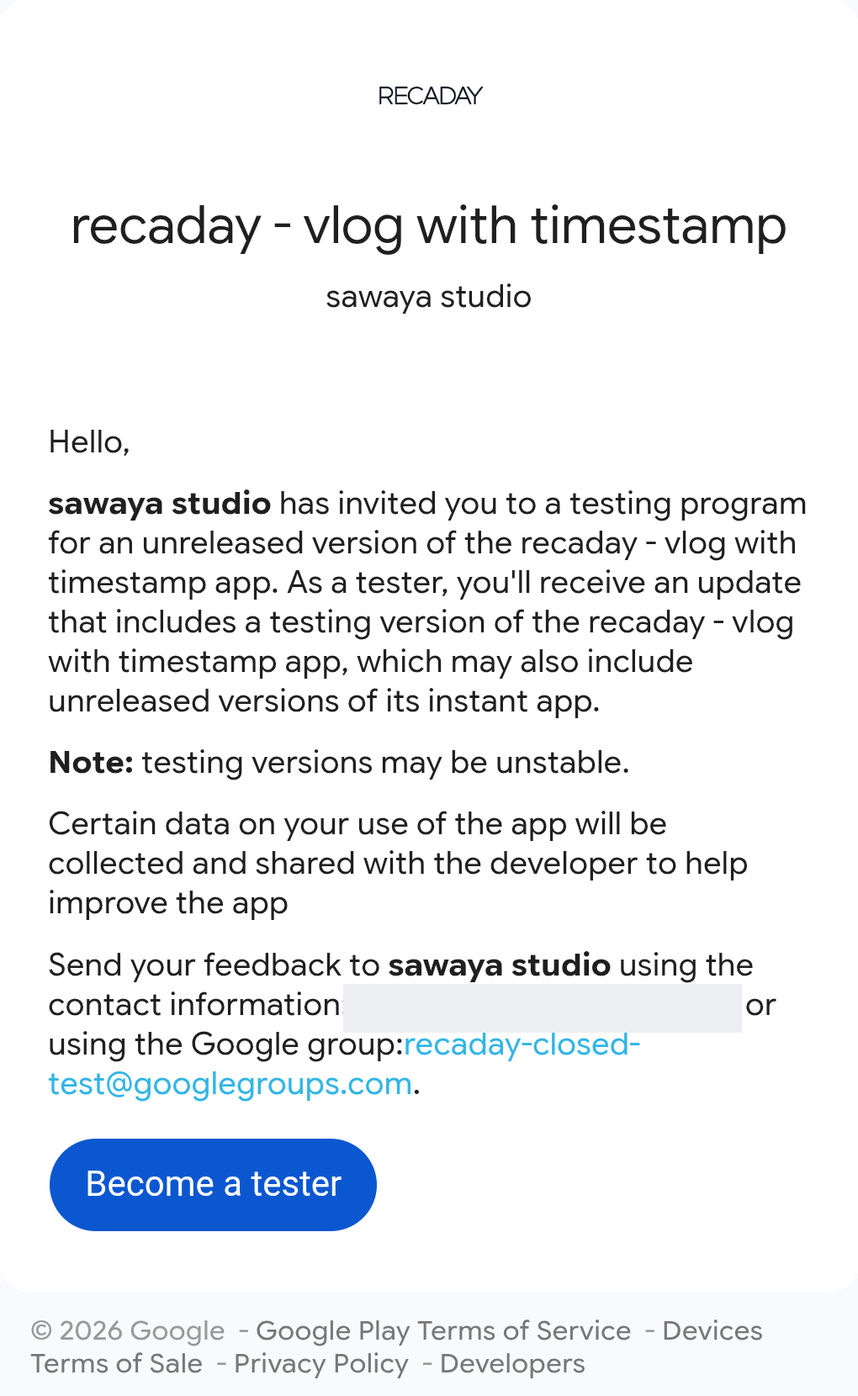
- Become a tester を押します。
- Press Become a tester.
このページは英語で出ます(日本語には切り替わりません)。
This page is in English only.
-
3
下記をクリックして、Play ストアからダウンロードしてください
Click below and download it from the Play Store
Play ストアでダウンロード Download on Google Play手順 2 を終えていると、この画面になります
Once step 2 is done, this is what you will see
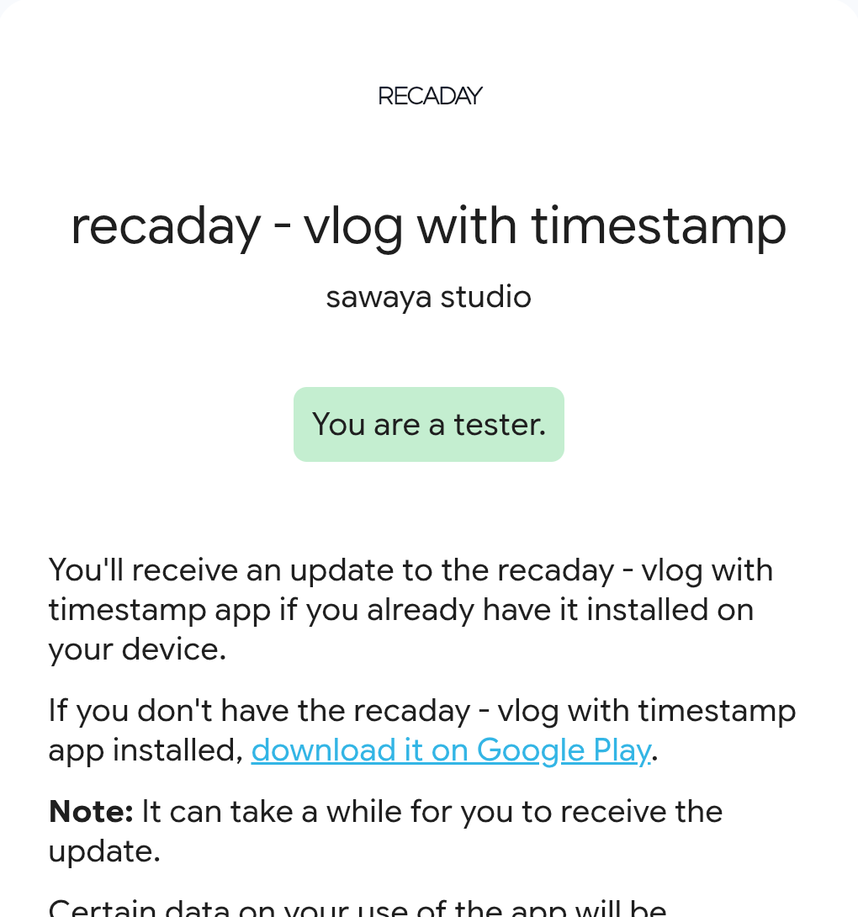
- download it on Google Play を押すと、 ストアが開きます。そこからインストールしてください。
- Press download it on Google Play. The store opens — install it from there.
テスター登録後、すぐにはダウンロードできないことがあります。
Google Play に反映されるまで時間がかかることがあります。(最大で数時間かかることがあります) アイテムが見つからないときは、お手数ですが、時間を置いてからお試しください。You may not be able to download it right after joining the test.
It can take a while for Google Play to update (sometimes a few hours). If you cannot find the item, please wait and try again.You are a tester. になっていないときは、手順 2 がまだです。 先にそちらを終えてください。
If it does not say You are a tester., step 2 is not done yet. Finish that first.
-
4
SNS などに共有するときは #レカデー というハッシュタグと Instagram アカウント @recaday_app へのリプライもしてくれると嬉しいです!
When you post about it, we would love a #recaday and a reply to @recaday_app on Instagram!
The screens above are real. Only the gold outline, numbers and arrows
were added.
The profile picture and contact email are blurred.